For churches
Every sermon, in every language in the room.
Voz-Translate streams your church's interpreters and AI translation live to every phone. No app to install: people scan a QR code and listen with their own headphones.
No card needed.
The real app
Your booth runs it. Your people hear it.
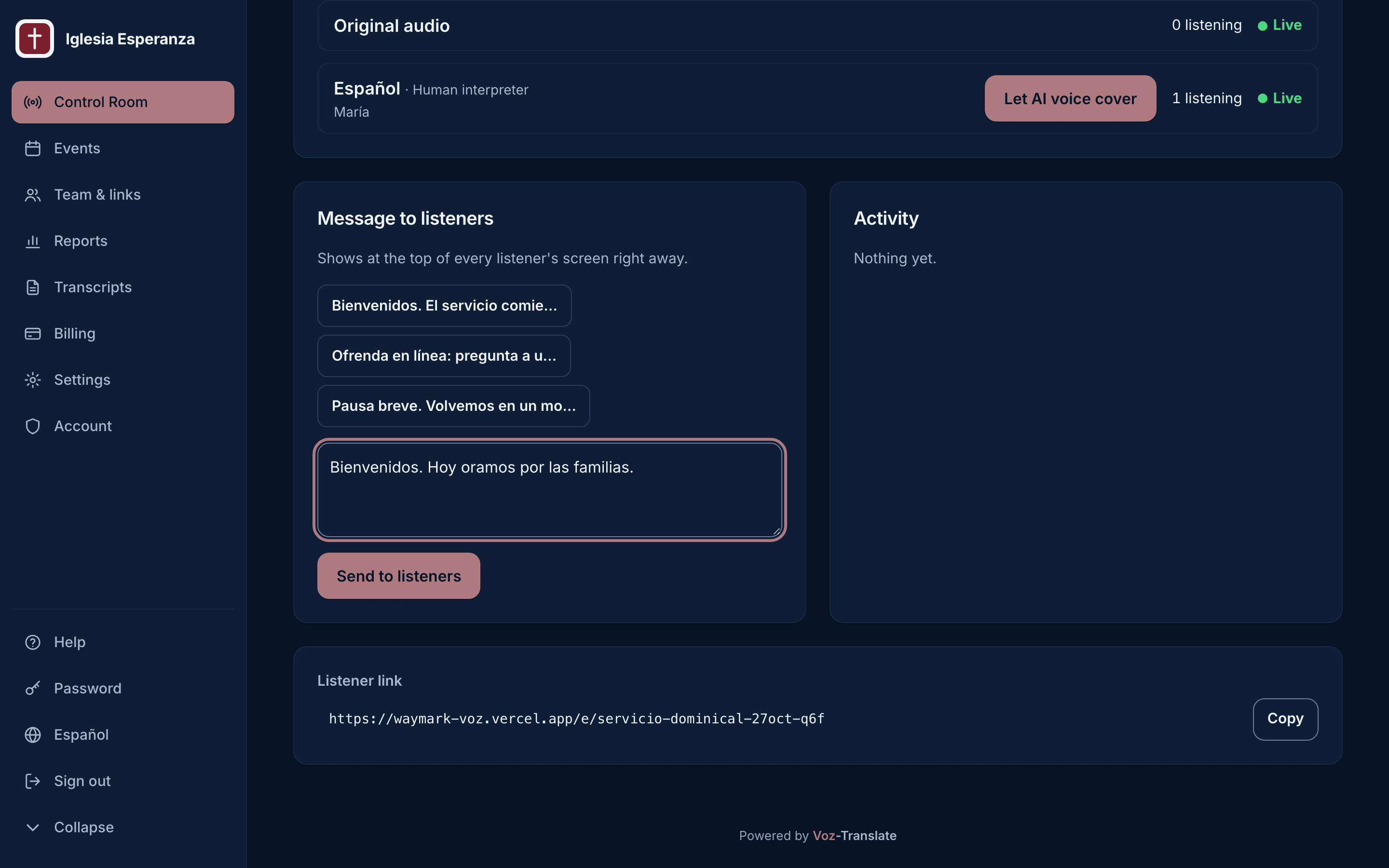
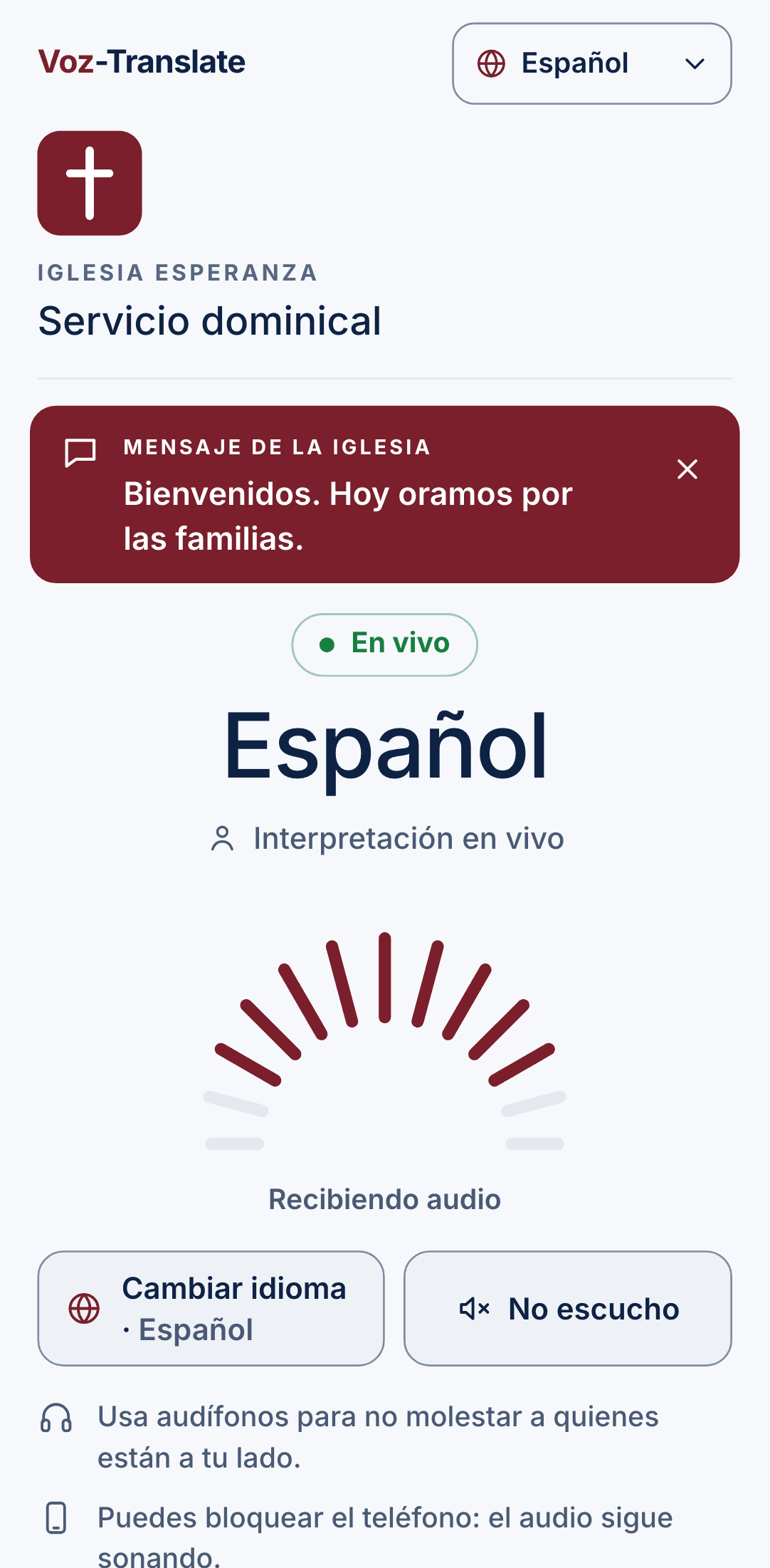
The Control Room shows every language, who's listening and what's live, in your church's own logo and color. Listeners just scan and pick a language.
How it works
Three people, three simple jobs. Nobody needs an account except the church staff.
The sound booth presses one button
A laptop connected to your soundboard opens its private link and presses “Start”. The sanctuary audio goes live.
Interpreters open their link
Each interpreter has a permanent link that works every week, from the booth or from home. They hear the sanctuary and speak into a headset.
People scan the QR code
Put the QR on the screen or in the bulletin. People pick a language and listen in the browser. No app, no sign-up.
Listeners use the browser already on their phone, iPhone or Android.
You need a laptop, a USB audio interface and headsets for the interpreters. See the recommended gear
Built for real Sunday mornings
Human interpreters, plus AI
Your interpreters stay at the heart of it. Add AI voice or AI captions for languages you don't have a volunteer for yet.
It keeps going
Phones reconnect on their own after a Wi-Fi blip. A backup laptop takes over by itself if the main one fails. A pre-service test checks the whole chain before people arrive.
The Control Room
One page, on a phone or laptop, shows every language, who is listening and what's live. Send a message to every listener, or pause the AI during worship.
Bible verses, word for word
When the preacher cites a passage, the AI captions show the text itself. In Spanish, that's the Reina-Valera 1909.
Privacy mode
For testimonies, prayer and altar calls: one tap stops transcription. The audio keeps flowing to listeners.
Captions on the big screen
Show AI captions on your projector or livestream through ProPresenter, OBS or vMix.
Your church's glossary
Teach the AI the names of your pastors, ministries and places, so it says them the same way every time.
Simple pricing
Every plan includes human interpretation in as many languages as you need. Prices in US dollars.
Prueba
$0/month
Free forever. Try it with a few listeners; no card needed.
- Up to 3 listeners at once
- Human interpreters only
Semilla
$19/month
or $190/year: 2 months free (save $38)
- Up to 10 listeners at once
- Human interpreters only
- Your free trial
Congregación
$49/month
or $490/year: 2 months free (save $98)
- Up to 30 listeners at once
- AI voice and captions available
Ministerio
$129/month
or $1,290/year: 2 months free (save $258)
- Up to 100 listeners at once
- AI voice and captions available
Red
$299/month
or $2,990/year: 2 months free (save $598)
- Up to 300 listeners at once
- AI voice and captions available
AI language packs
Add-ons for Congregación and above, per language, per month. Hours reset each month. Worship music and silence are never counted.
Ran out of hours mid-month? The service never stops: extra time is billed per minute, at $12.50/hour for AI voice and $6/hour for AI captions.
- AI voice · 8 hours a month$99/month per language
- AI voice · 20 hours a month$219/month per language
- AI voice · 45 hours a month$449/month per language
- AI captions · 12 hours a month$69/month per language
If more people come than your plan includes
Overflow never disconnects anyone: $12 per extra 10 listeners for that service, and if a month's extras would cost more than the next plan, we bill the next plan instead.
Ways to pay
- Card (Visa, Mastercard, American Express, Discover)
- Tax-exempt churches: send your exemption certificate and we won't charge sales tax
Questions churches ask
Do people need to install an app?
No. They scan the QR code (or type a short event code) and listen in their phone's browser, with their own headphones. They don't create an account or give us their name, phone or email.
Does it need internet?
Yes. The sound-booth laptop, the interpreters and the listeners all need a connection. Church Wi-Fi or mobile data both work, and phones reconnect on their own if the connection drops for a moment.
How many languages can we offer?
As many as you have interpreters for: each event can have several language channels. AI voice and captions are priced per language, so you only pay for the ones you add.
What if an interpreter doesn't show up?
Each language can have a backup interpreter with their own link. On plans with AI, you can set the AI voice to step in when no interpreter is on the mic, so listeners don't hear silence.
What happens to what's said in the service?
Transcripts are kept only if you turn them on for an event, and they're deleted automatically after 90 days. Privacy mode stops transcription for sensitive moments. Listeners stay anonymous.
Can we cancel?
Yes, anytime, with one button on the Billing page. Your plan keeps working until the end of what you've paid for, then stops. There's no contract.